How I Optimized Page Load from 3.8s to 1.4s on Rural 4G Networks
A deep dive into the performance optimization strategies I used at SALUT Universitas Terbuka to make our web properties usable on slow, unstable Indonesian rural networks.
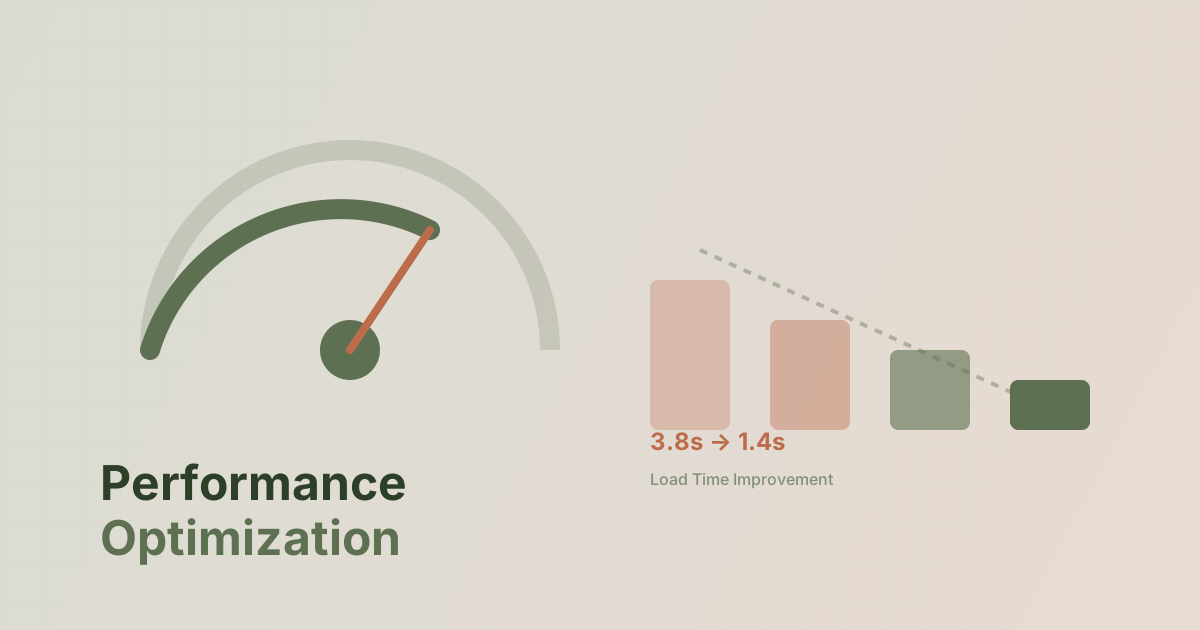
When I joined SALUT Universitas Terbuka Tana Toraja in 2019, our main website had a median load time of 3.8 seconds on 4G connections. For users in rural South Sulawesi, where network speeds often drop to 3G or worse, the experience was frustrating—if the page loaded at all.
Fast forward to today, and we’ve brought that number down to 1.4 seconds. Here’s exactly how we did it.
The Problem: Real-World Network Conditions
Before diving into solutions, let me paint the picture. Our users include:
- Students accessing course materials from mountain villages
- Administrative staff on shared office connections
- Prospective students browsing on mobile data
The common thread? Unreliable, slow connections. A Tokyo-optimized CDN doesn’t help when the last mile is a congested cell tower serving an entire district.
Strategy 1: Aggressive HTML Caching
The biggest win came from caching entire HTML responses. Here’s our approach:
// Simplified cache wrapper
function getCachedPage($key, $ttl, $callback) {
    $cached = Cache::get($key);
    if ($cached) return $cached;

    $html = $callback();
    Cache::put($key, $html, $ttl);
    return $html;
}

// Usage in controller
$html = getCachedPage(
    "home_page_" . app()->getLocale(),
    3600, // 1 hour
    fn() => view('home')->render()
);
Results: Page generation dropped from ~800ms to ~15ms for cached hits.
Cache Invalidation Strategy
We use a simple event-based approach:
- Content update triggers cache key deletion
- First visitor regenerates the cache
- Background job pre-warms critical pages after deployments
Strategy 2: Asset Budgets
We set hard limits on what we ship:
| Asset Type | Budget | Actual |
|---|---|---|
| Total JS | 100KB | 87KB |
| Total CSS | 50KB | 42KB |
| Hero Image | 150KB | 120KB |
| Total Page | 400KB | 340KB |
How We Enforce Budgets
// In our build script
const budgets = {
  js: 100 * 1024,
  css: 50 * 1024,
  total: 400 * 1024
};

// Fail the build if exceeded
if (stats.js > budgets.js) {
  throw new Error(`JS budget exceeded: ${stats.js} > ${budgets.js}`);
}
Strategy 3: Image Pipeline
Images were our biggest payload. Our solution:
- Server-side resize on upload (max 1200px wide)
- WebP conversion with JPEG fallback
- Lazy loading for below-fold images
- Blur placeholder for perceived performance
// Image processing on upload
public function processImage($file) {
    $image = Image::make($file);

    // Resize if too large
    if ($image->width() > 1200) {
        $image->resize(1200, null, fn($c) => $c->aspectRatio());
    }

    // Save WebP version
    $image->encode('webp', 80)->save($webpPath);

    // Generate blur placeholder
    $placeholder = $image->blur(50)->resize(20, null)->encode('base64');

    return [
        'webp' => $webpPath,
        'placeholder' => $placeholder
    ];
}
Strategy 4: Database Query Optimization
Our dashboard was making 47 queries on the home page. We brought it down to 8.
Before: N+1 Hell
// Bad: N+1 queries
$posts = Post::all();
foreach ($posts as $post) {
    echo $post->author->name; // Query per post!
}
After: Eager Loading
// Good: 2 queries total
$posts = Post::with(['author', 'category'])->get();
We also added composite indexes for common query patterns:
ALTER TABLE posts ADD INDEX idx_published_date (status, published_at);
ALTER TABLE users ADD INDEX idx_role_active (role, is_active);
Strategy 5: Graceful Degradation
Not everything needs to work perfectly on slow connections. We prioritize:
- Core content loads first (text, essential images)
- Enhancements load progressively (animations, 3D elements)
- Non-essential features are skipped entirely on slow connections
// Detect connection quality
const connection = navigator.connection;

if (connection?.effectiveType === '4g') {
  loadFancyAnimations();
} else {
  // Skip heavy features on slow connections
  document.body.classList.add('reduced-motion');
}
Results Summary
| Metric | Before | After | Improvement |
|---|---|---|---|
| Median Load Time | 3.8s | 1.4s | 63% faster |
| Time to First Byte | 1.2s | 0.18s | 85% faster |
| Total Page Size | 1.8MB | 340KB | 81% smaller |
| Lighthouse Score | 42 | 91 | +49 points |
Key Takeaways
- Measure on real networks, not just localhost or fast office WiFi
- Cache aggressively at the HTML level, not just assets
- Set and enforce budgets before optimization becomes necessary
- Graceful degradation is better than broken features
- Profile your database queries—they’re often the hidden bottleneck
The best performance optimization is the one that makes your slowest users happy. For us, that means thinking about the student in a Toraja village trying to check their grades on a weak signal.
Have questions about performance optimization for emerging markets? Get in touch.