Building Design Systems That Non-Technical Teams Can Actually Use
Lessons from creating the 'Sage & Clay' design system—component libraries, design tokens, and handoff playbooks that empower marketing teams to ship without developer assistance.
Here’s a scenario I’ve seen too many times: A developer builds a beautiful component library, writes comprehensive documentation, and hands it off to the marketing team. Three months later, the marketing team is still pinging Slack for every button change.
When I built the “Sage & Clay” design system for this portfolio (and adapted versions for client projects), I focused on one principle: if the team needs to ask a developer, the system has failed.
What is Sage & Clay?
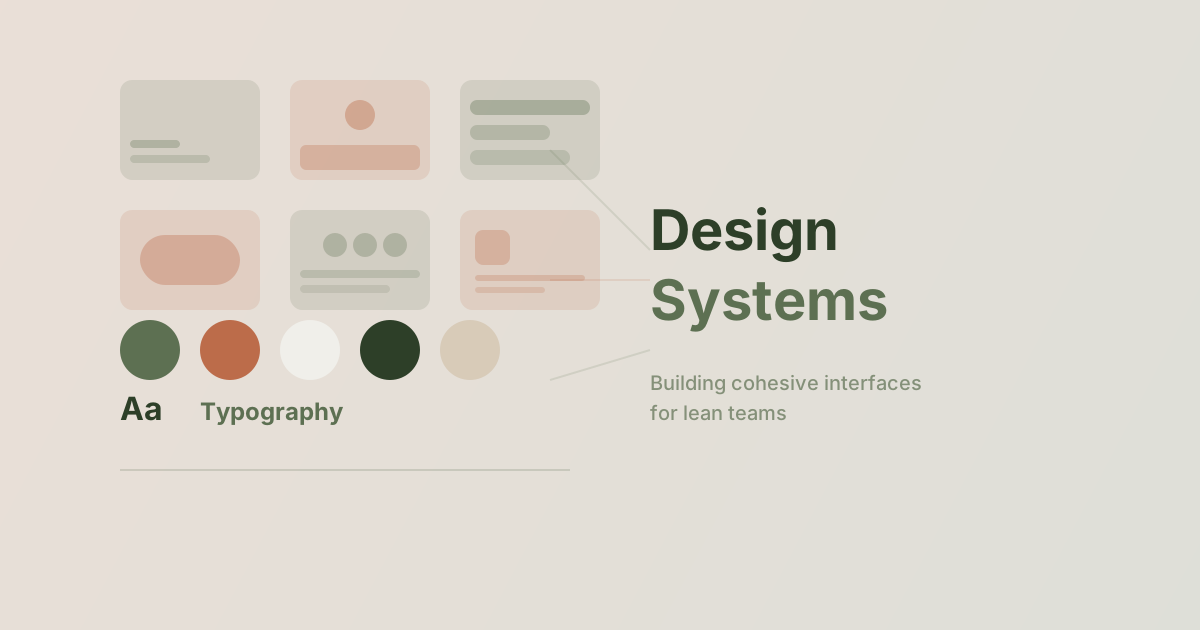
Sage & Clay is the design system powering this website. The name comes from our two accent colors:
- Sage (#5D7052): A muted olive green for primary actions
- Clay (#BC6C4A): A warm terracotta for highlights
But it’s more than colors. It’s a complete system of tokens, components, and documentation designed for solo developers and small teams.
The Foundation: Design Tokens
Everything starts with tokens—named values that represent design decisions:
/* tokens.css */
:root {
  /* Colors */
  --color-paper: #F0EFEA;
  --color-ink: #232323;
  --color-sage: #5D7052;
  --color-clay: #BC6C4A;
  --color-bone: #DCD7C9;

  /* Typography */
  --font-heading: 'Fraunces', serif;
  --font-body: 'Outfit', sans-serif;
  --font-mono: 'JetBrains Mono', monospace;

  /* Spacing */
  --space-1: 0.25rem;
  --space-2: 0.5rem;
  --space-4: 1rem;
  --space-8: 2rem;
  --space-16: 4rem;

  /* Radii */
  --radius-sm: 0.375rem;
  --radius-md: 0.75rem;
  --radius-lg: 1.5rem;
  --radius-full: 9999px;
}
Why Tokens Matter
When marketing wants to change the primary color, they don’t edit 47 CSS files. They change one token, and the entire system updates.
In Tailwind, we extend the config:
// tailwind.config.mjs
export default {
  theme: {
    extend: {
      colors: {
        paper: '#F0EFEA',
        ink: '#232323',
        sage: '#5D7052',
        clay: '#BC6C4A',
        bone: '#DCD7C9',
      },
      fontFamily: {
        heading: ['Fraunces', 'serif'],
        body: ['Outfit', 'sans-serif'],
      },
    },
  },
};
Component Library Structure
Each component follows a predictable pattern:
components/
├── Button/
│   ├── Button.tsx      # Component code
│   ├── Button.stories.tsx  # Storybook examples
│   └── README.md       # Usage documentation
├── Card/
├── Input/
└── ...
Example: The Button Component
interface ButtonProps {
  variant?: 'primary' | 'secondary' | 'ghost';
  size?: 'sm' | 'md' | 'lg';
  children: React.ReactNode;
  onClick?: () => void;
}

export function Button({
  variant = 'primary',
  size = 'md',
  children,
  onClick
}: ButtonProps) {
  const baseStyles = "font-medium rounded-full transition-colors";

  const variants = {
    primary: "bg-ink text-paper hover:bg-sage",
    secondary: "bg-bone text-ink hover:bg-ink/10",
    ghost: "text-ink/70 hover:text-ink hover:bg-ink/5",
  };

  const sizes = {
    sm: "px-3 py-1 text-sm",
    md: "px-4 py-2 text-sm",
    lg: "px-6 py-3 text-base",
  };

  return (
    <button
      className={`${baseStyles} ${variants[variant]} ${sizes[size]}`}
      onClick={onClick}
    >
      {children}
    </button>
  );
}
The Secret Sauce: Pre-Built Sections
Here’s where most design systems fall short. They give you atoms (buttons, inputs) but leave you to build molecules and organisms yourself.
For Sage & Clay, I created ready-to-use sections:
Section Catalog
| Section | Use Case | Customizable |
|---|---|---|
| Hero | Landing page intro | Title, subtitle, CTA, image |
| Feature Grid | Highlight capabilities | Icons, titles, descriptions |
| Testimonial | Social proof | Quote, author, company |
| CTA Banner | Conversion prompt | Headline, button, background |
| FAQ Accordion | Common questions | Q&A pairs |
Example: Using a Pre-Built Section
---
import { CTABanner } from '@/components/sections';
---

<CTABanner
  headline="Ready to optimize your website?"
  description="Let's discuss your performance goals."
  buttonText="Start a conversation"
  buttonLink="/contact"
  variant="sage" // or "clay" or "ink"
/>
Marketing can now launch pages by composing sections, not writing code.
Documentation That Actually Gets Read
Technical documentation often fails because it’s written for developers. Here’s my approach for non-technical teammates:
1. Start with “Why”, Not “How”
❌ Bad: “The Button component accepts variant, size, and onClick props.”
✅ Good: “Need a button? Here’s when to use each style:
- Primary (dark): Main actions like ‘Submit’ or ‘Sign Up’
- Secondary (light): Alternative actions like ‘Learn More’
- Ghost (text only): Navigation or tertiary actions”
2. Show, Don’t Tell
Every component page has:
- Live preview
- Copy-paste code snippet
- Do’s and Don’ts with visual examples
3. Decision Trees
Instead of comprehensive API docs, provide flowcharts:
Need a button?
├── Is it the main action? → Primary
├── Is it a secondary option? → Secondary
├── Is it navigation? → Ghost
└── Is it destructive? → Primary (red variant)
Handoff Playbook
When a project concludes, clients receive a “handoff playbook” covering:
- Quick reference card (1-page PDF of common components)
- Section templates with placeholder content
- Brand guidelines (colors, fonts, spacing rules)
- Video walkthrough (15-min Loom of common tasks)
- FAQ document based on real questions from similar clients
Measuring Success
How do I know if a design system works?
| Metric | Target | Sage & Clay |
|---|---|---|
| Developer questions per week | < 2 | 0.5 |
| Time to create new landing page | < 2 hours | ~45 min |
| Design inconsistencies per audit | < 5 | 2 |
| Team satisfaction (survey) | > 4/5 | 4.6/5 |
Key Principles
- Constrain choices: Limited options prevent bad combinations
- Name things clearly:
text-sagebeatstext-primary-500 - Provide escape hatches: Sometimes teams need custom solutions
- Document for the reader: Non-technical docs for non-technical people
- Iterate based on questions: Every question reveals a documentation gap
The best design system is invisible. When your team stops thinking about design decisions and just uses the system, you’ve won.
Building a design system for your team? Let’s talk about how to make it stick.